 Draw Anything
How to draw a heart
Two circles and a V. That’s the whole secret to a heart that looks even on both sides — five steps, each new line in pink.
Freehand hearts usually come out lopsided because we draw one side, then try to copy it by eye. Placing two guide circles first gives both halves the same target.
It takes about two minutes, and once you have it, you have the base for cards, doodles, patterns and tattoo-style designs.
What you need
- Any pen or brush
- Red or pink
Opens the free canvas with each step shown faintly underneath, so you can trace your way through.
Draw along →Step-by-step: how to draw a heart
-

1Two circles and a V
Draw two circles side by side, just overlapping. From the outer side of each circle, draw a straight line down to a point in the middle below them — a V.
-

2Draw the left half
Start at the dip between the circles, follow the top of the left circle round, and curve down to the point at the bottom.
-

3Mirror the right half
Do the same on the right, matching the curve of the left side. Then erase the guide circles and the V.
-

4Add a shine and sparkles
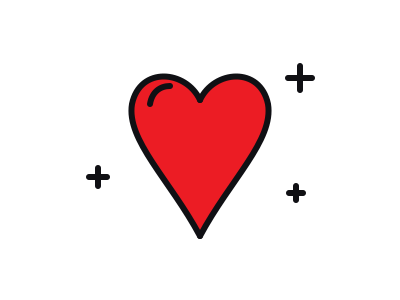
A short curved line inside the top-left bump makes the heart look glossy. Little plus-shaped sparkles around it add energy.
-
5Fill with colour
Fill the heart with red, or pink, or a rainbow. Leave the shine line white or very light.
Tips for a better heart
- Bigger circles = rounder heart. Push the circles apart for a wider heart; overlap them more for a tall one.
- Draw the sides in one stroke each. Fast confident strokes make smoother curves than slow careful ones.
- Undo is free. If the halves don’t match, undo one side and redraw it — it’s quicker than fixing it.
Try a variation
Put a smaller heart inside the first, draw an arrow through it, or turn it into a face with two eyes and a smile. A row of hearts in different colours makes an instant border.
More things to draw
 Very easy · 6 steps
How to draw a star
See the steps Medium · 6 steps
How to draw a rose
See the steps Easy · 6 steps
How to draw a flower
See the steps Easy · 6 steps
How to draw a butterfly
See the steps Medium · 6 steps
How to draw an eye
See the stepsLevel up
Take the canvas with you
The browser studio is a taste. The app is the full art creation studio — layers, a big brush library, photo tracing, infinite colour, a new drawing idea every day, home screen widgets and timelapse sharing, on every device you own.


What you get
- Price Free to download, with an optional PRO subscription
- Includes Layers, pen, pencil, marker, crayon, watercolour, fountain pen and fill tools, daily ideas, widgets, timelapse sharing
- PRO unlocks Rainbow Pencil, Import Images, Infinite Colour, Gravity Lines
- Platforms iPhone, iPad, iPod touch and Android
- Age rating 4+
- Languages English, Spanish, French, German, Italian, Portuguese, Hebrew, Indonesian, Japanese, Korean, Simplified Chinese, Traditional Chinese